




Build a Serverless App with AWS Lambda, API Gateway & DynamoDB
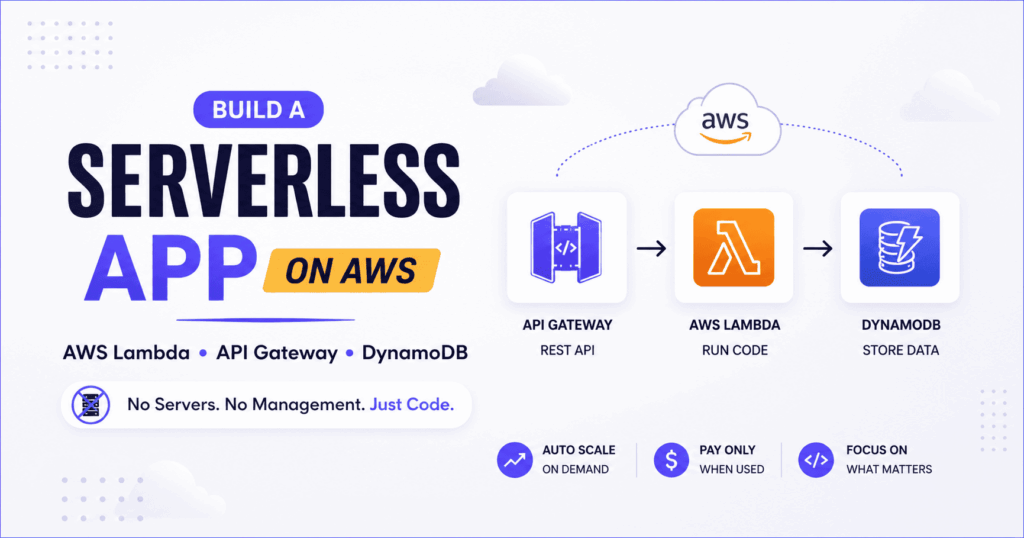
Are you tired of spinning up EC2 instances, managing load balancers, and watching cloud bills pile up—even when your app barely gets traffic?
Good news: There’s a better, smarter, and more cost-efficient way to build modern applications: Serverless Architecture.
In this post, I’ll break down a real-world project where we use AWS DynamoDB, Lambda, and API Gateway to build a powerful backend without managing a single server. Whether you’re new to AWS or want a practical refresher, you’re in the right place. Let’s dive in!
🌩️ Why Serverless?
Serverless doesn’t mean “no servers.” It means you don’t manage them—AWS does that for you. This brings three game-changing benefits:
-
Automatic Scaling: Handles sudden user spikes instantly without crashing.
-
Cost Efficiency: You pay only when your code runs. No idle charges.
-
Simplicity: Focus entirely on your business logic, not infrastructure.
This architecture thrives in event-driven environments, such as contact forms, real-time data collection, and user submissions.
🧱 Core AWS Services Used
-
✅ DynamoDB: A fully managed NoSQL database that stores data in a flexible key-value format. No schema hassles. No servers.
-
✅ AWS Lambda: Run your code on demand in response to events (like an API call). No provisioning required—just write code and set a trigger.
-
✅ API Gateway: Create secure REST APIs that expose your Lambda functions to the outside world. Perfect for web and mobile apps.
📊 The Use Case: A “Bookstore” Form Submission App
Imagine a simple bookstore website where users submit book information via a form. Here is what we are building behind the scenes:
Frontend Request ➡️ API Gateway (Receives) ➡️ AWS Lambda (Processes) ➡️ DynamoDB (Stores)
Everything triggers only when a user submits a form. No background compute. No idle costs. This is the magic of serverless!
🛠️ Step-by-Step: Building the Serverless Flow
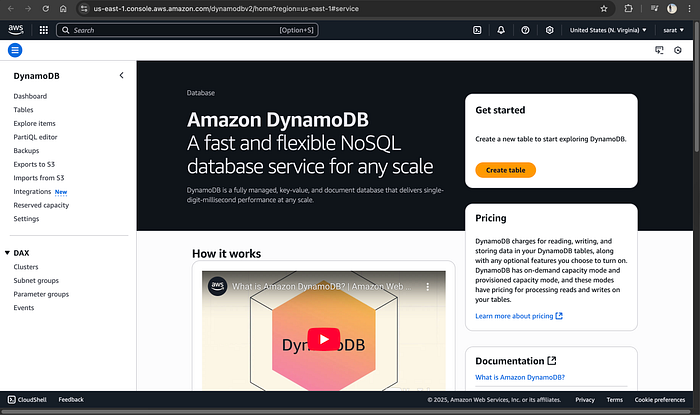
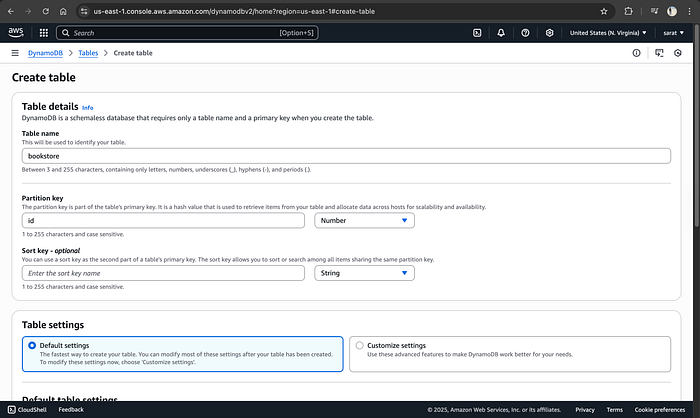
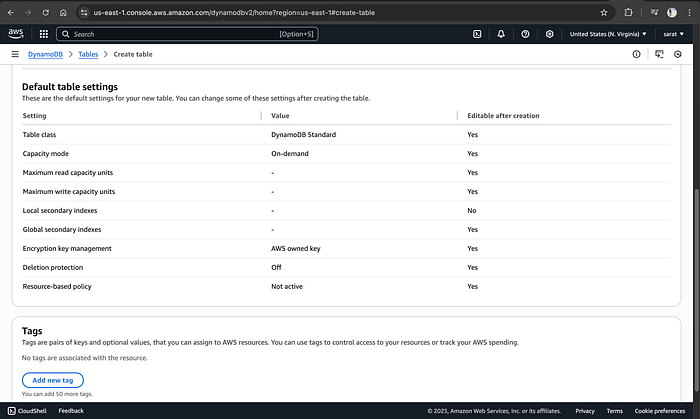
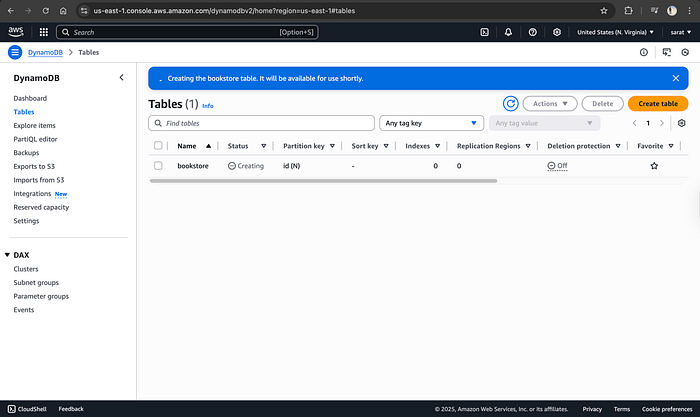
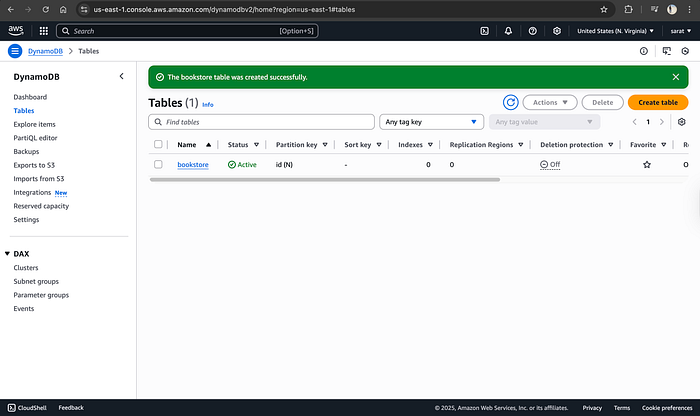
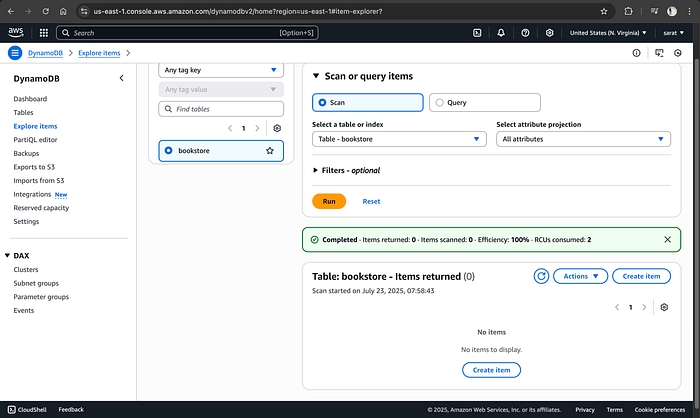
1️⃣ Create a DynamoDB Table
- Table Name:
bookstore - Partition Key:
id(Number)
DynamoDB is schema-less, meaning you can skip fields like “author” or “state” later on, and it will still work perfectly.
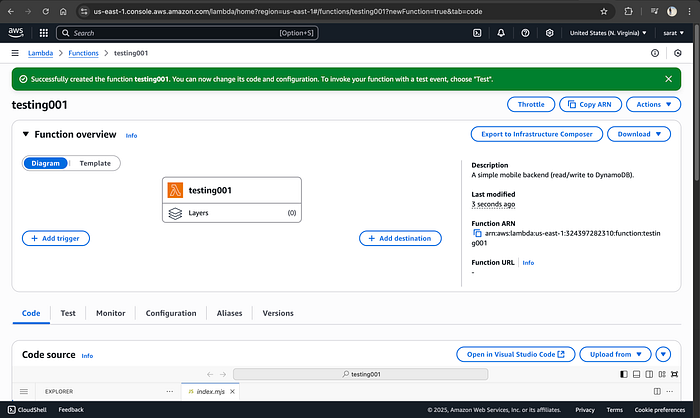
2️⃣ Create a Lambda Function
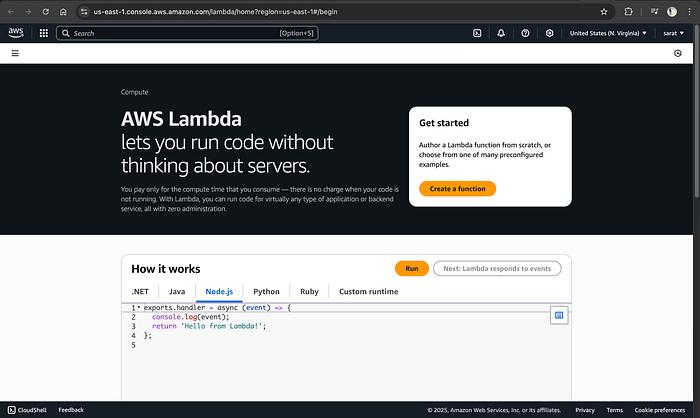
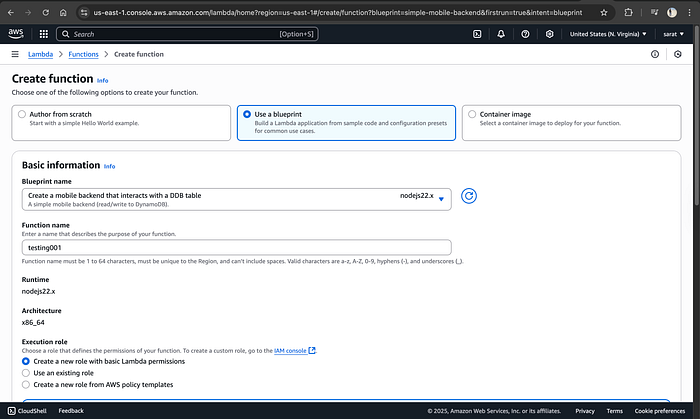
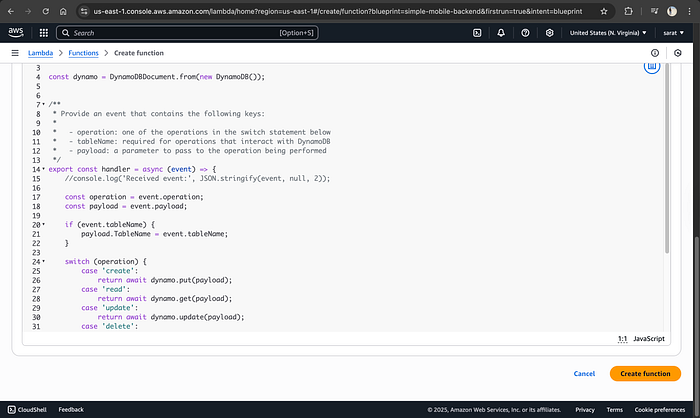
Next, we write the logic.
- Choose a blueprint (e.g., Mobile Backend)
-
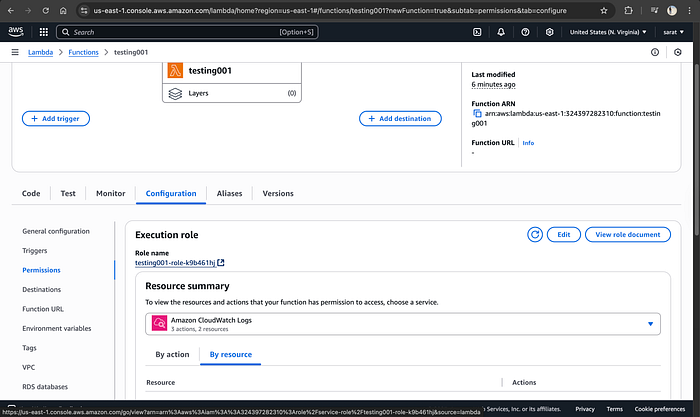
Crucial Step: Assign an IAM Role with the following permissions:
AWSLambdaBasicExecutionRoleAmazonDynamoDBFullAccess
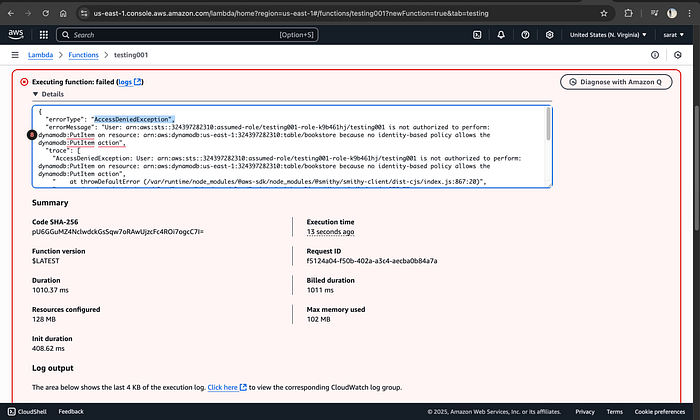
⚠️ Stop & Check: Don’t skip permissions! Without the proper IAM roles attached, your Lambda function cannot write data to DynamoDB.
3️⃣ Test Lambda Function
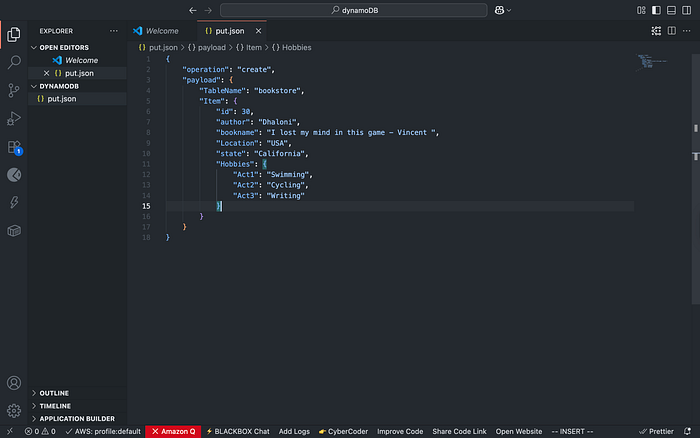
Let’s verify that Lambda can talk to DynamoDB. We will pass a test JSON payload.
{
  "operation": "create",
  "payload": {
    "TableName": "bookstore",
    "Item": {
      "id": 30,
      "author": "Dhaloni",
      "bookname": "I lost my mind in this game - Vincent",
      "Location": "USA",
      "Hobbies": {
        "Act1": "Swimming",
        "Act2": "Cycling",
        "Act3": "Writing"
      }
    }
  }
}
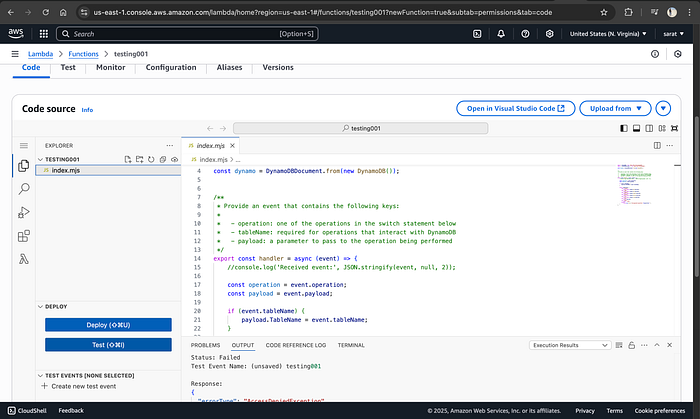
Click on Test → Create new event → name it → paste the following code → click Test:
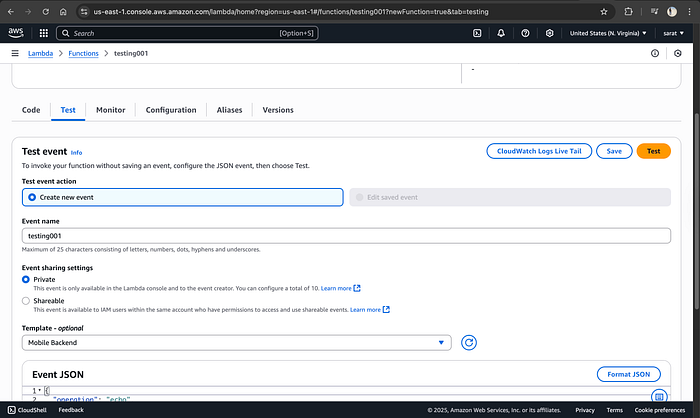
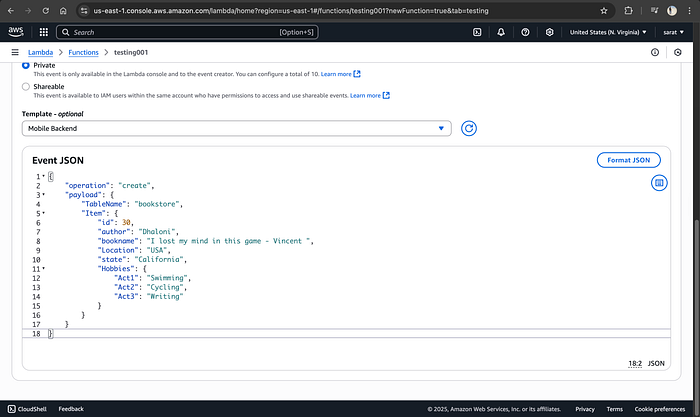
For the very first time, you will see an error because there is no scope for Lambda to access the DynamoDB
Now we navigate to the configuration tab → permissions → click on IAM role → select the IAM role → attach policy → give DynamoDB full access
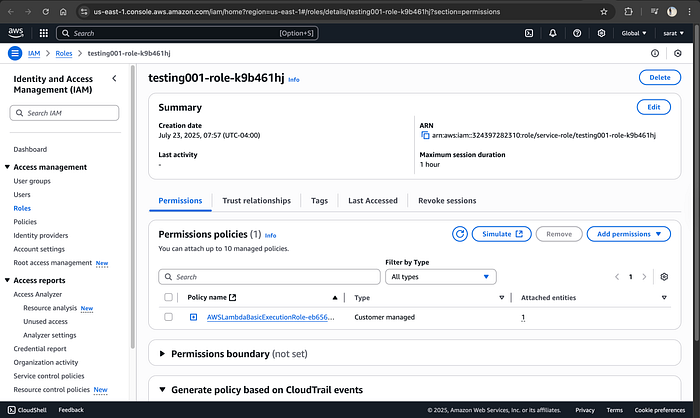
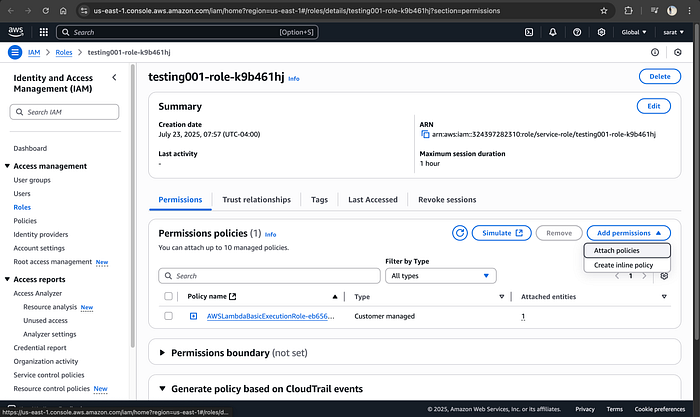
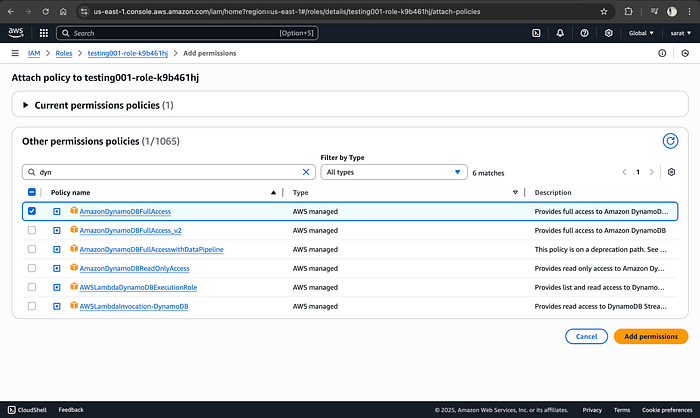
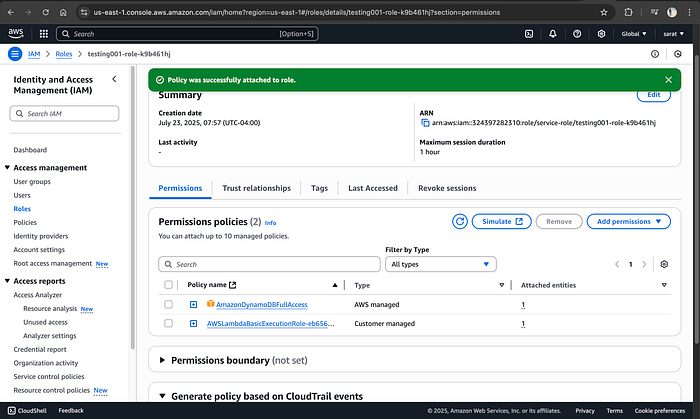
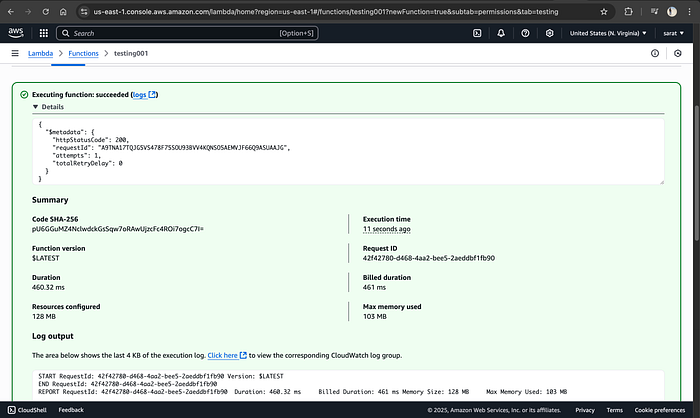
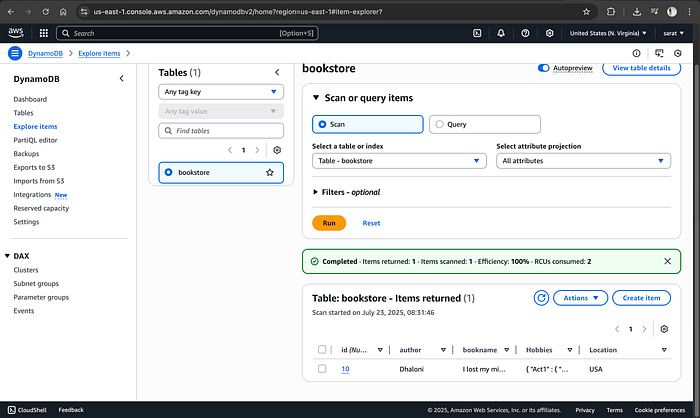
Now, come back to the Lambda function and test it again. This time, you should receive 200 as a status code. Check the DynamoDB; refresh, and a table will be created with the respective ID.
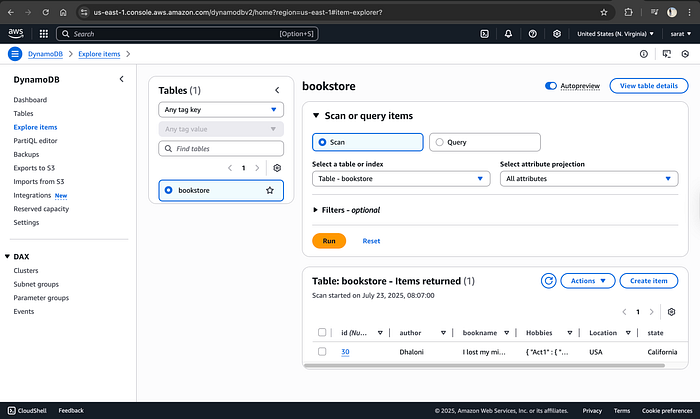
✅ Check DynamoDB — you’ll see the record even if you leave out fields like genre. That’s schema flexibility in action!
This time, I have added data without state and with a new ID to see if I can create a row.
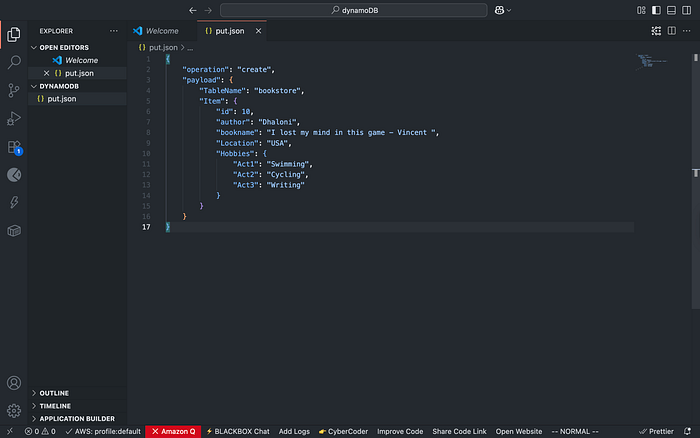
{
    "operation": "create",
    "payload": {
        "TableName": "bookstore",
        "Item": {
            "id": 10,
            "author": "Dhaloni",
            "bookname": "I lost my mind in this game - Vincent ",
            "Location": "USA",
            "Hobbies": {
                "Act1": "Swimming",
                "Act2": "Cycling",
                "Act3": "Writing"
            }
        }
    }
}

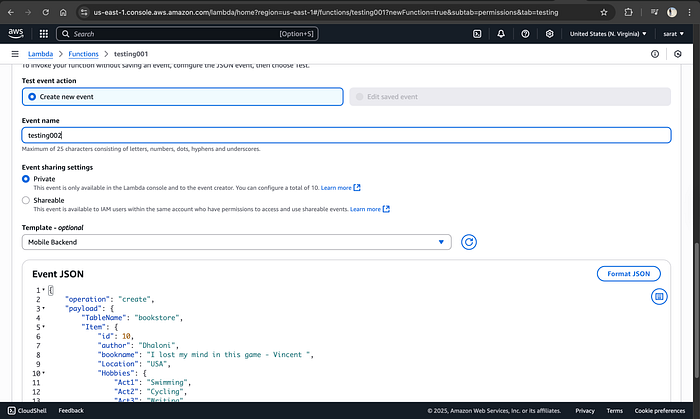
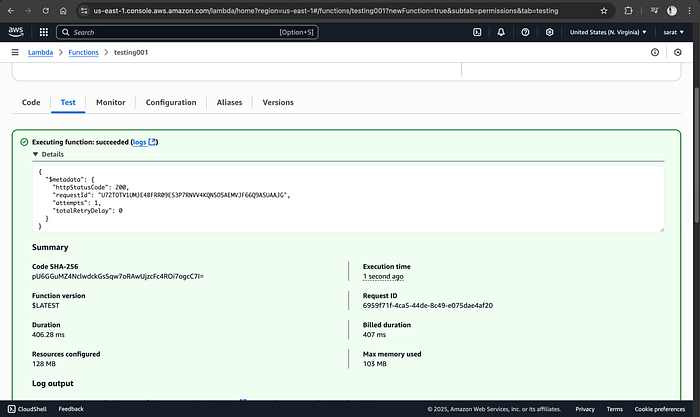
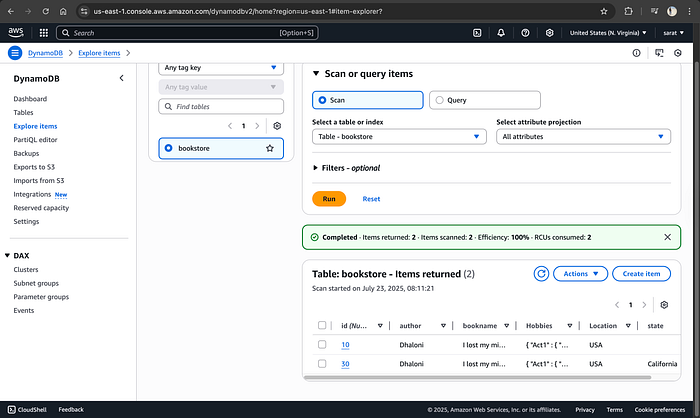
✔ Data will appear in DynamoDB — even with missing fields (schema flexibility!)
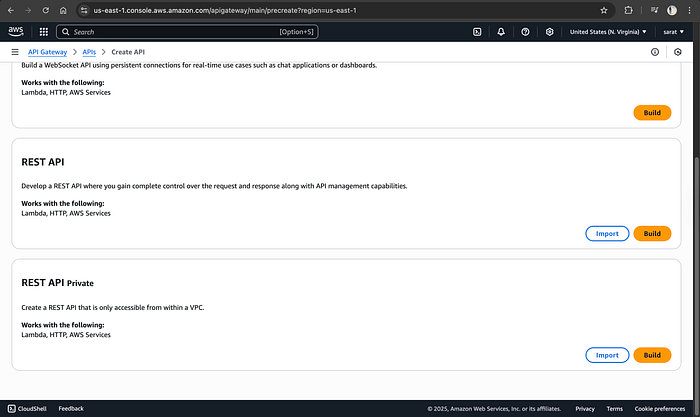
4️⃣ Set Up API Gateway
- Create REST API (e.g.,
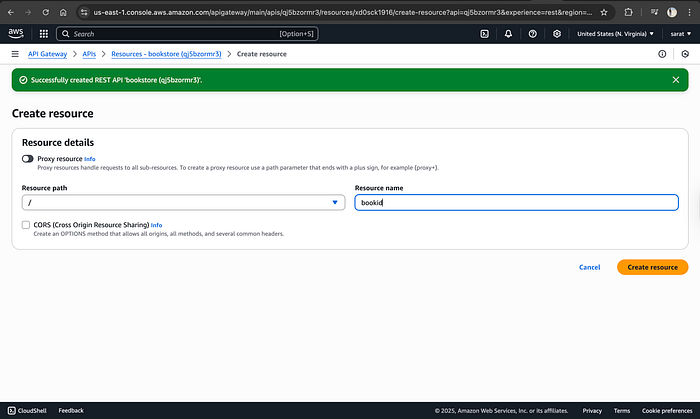
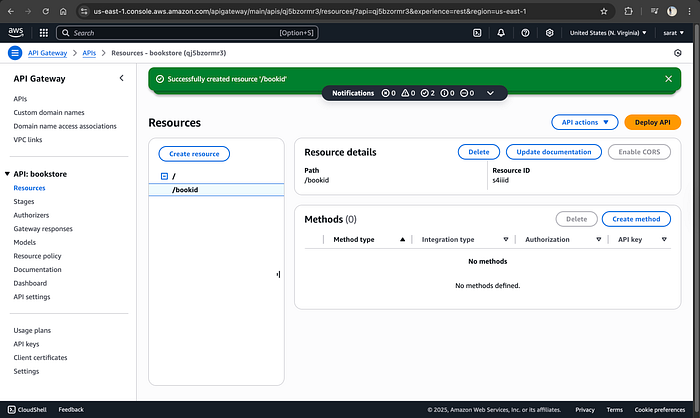
bookstall) - Add resource:
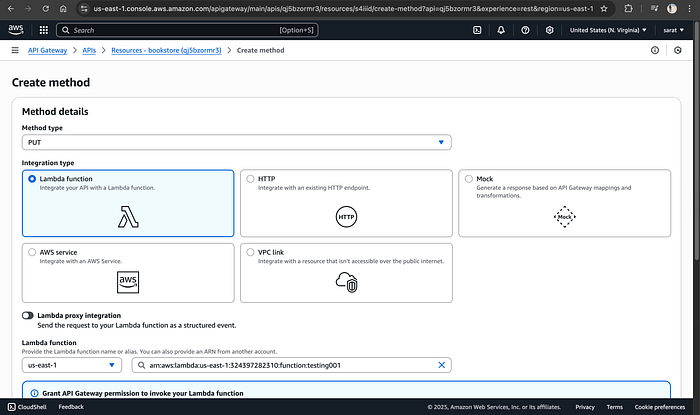
/book - Add methods:
PUT→ Insert dataPOST→ Retrieve data
💡 Both methods can use the same Lambda function.
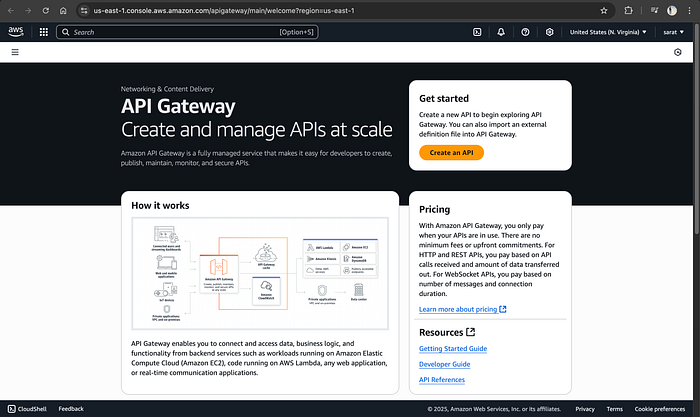
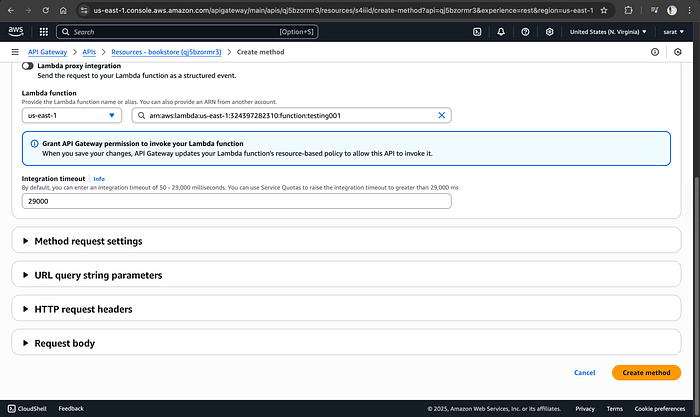
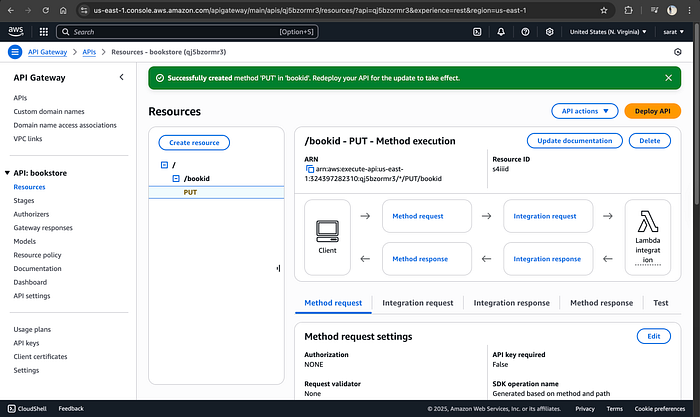
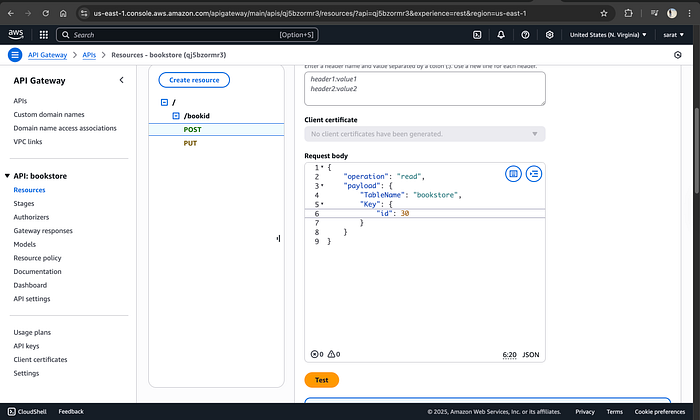
Now click on “test,” the last tab, and insert the above code
Before proceeding, make sure to delete the items in the DB, just to avoid conflict
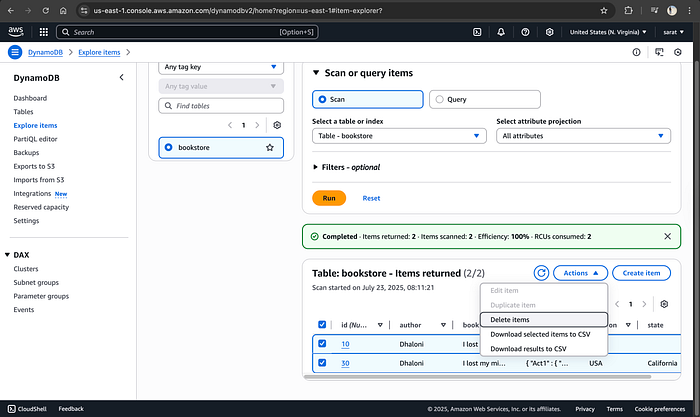
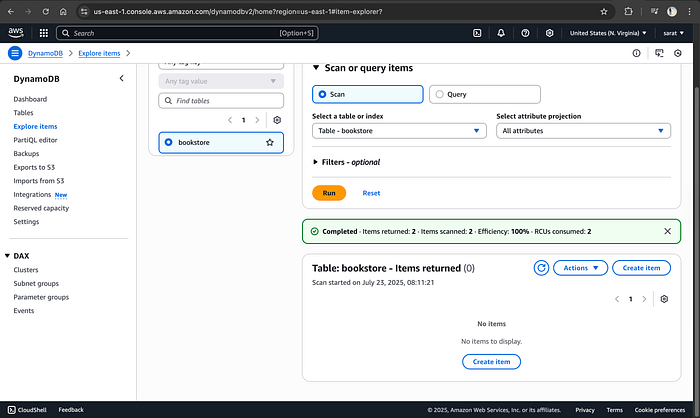
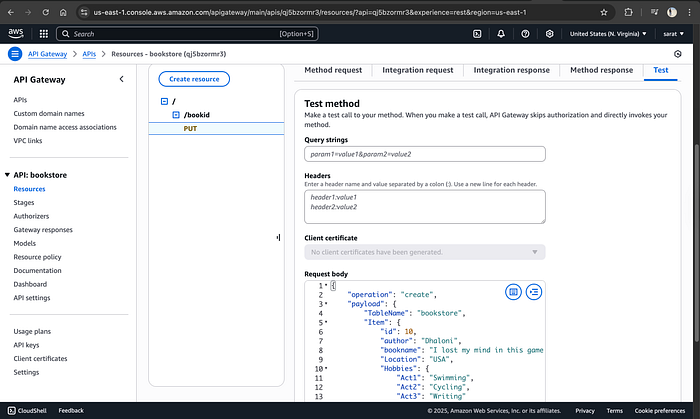
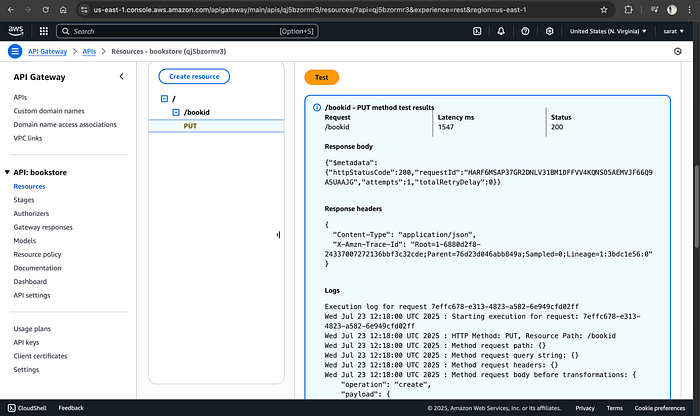
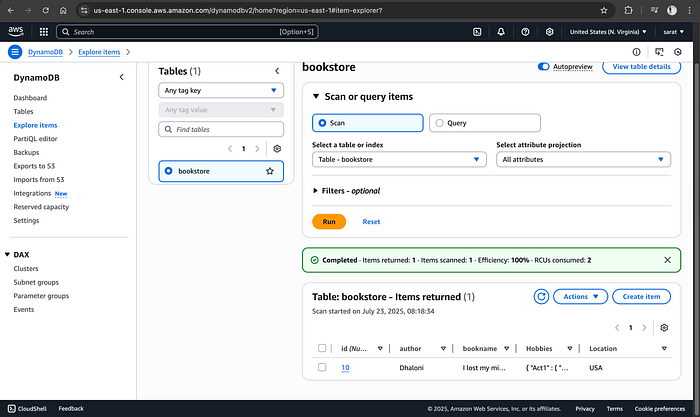
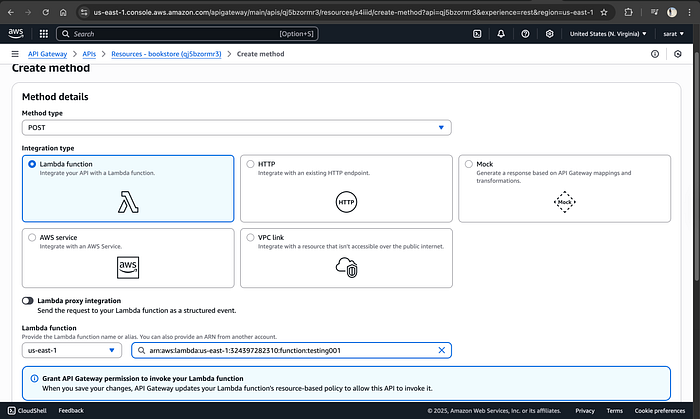
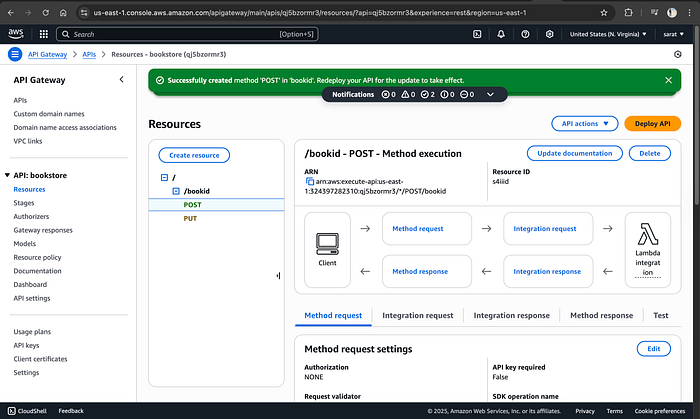
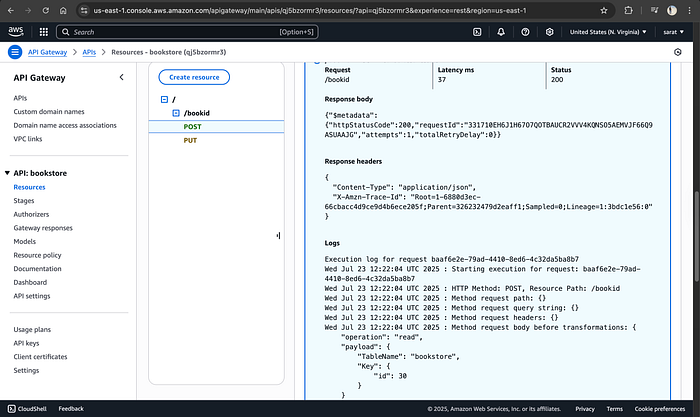
Now I have created another method “POST”
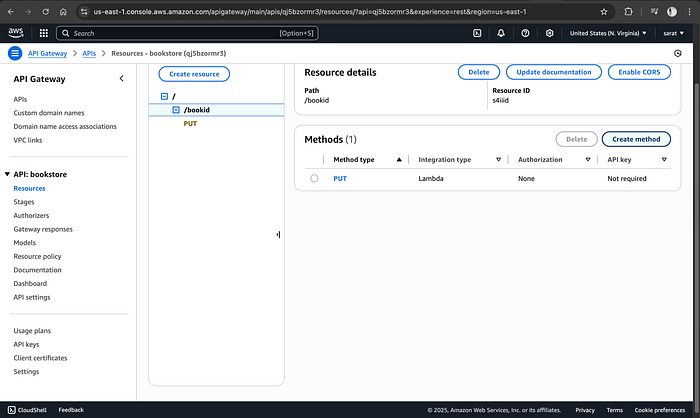
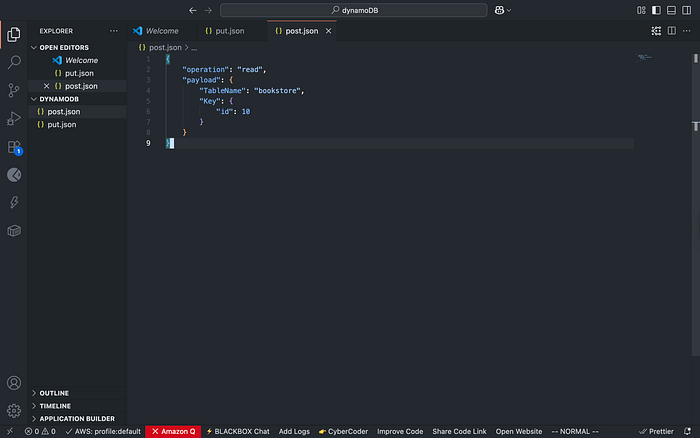
{
“operation”: “read”,
“payload”: {
“TableName”: “bookstore”,
“Key”: {
“id”: 10
}
}
}

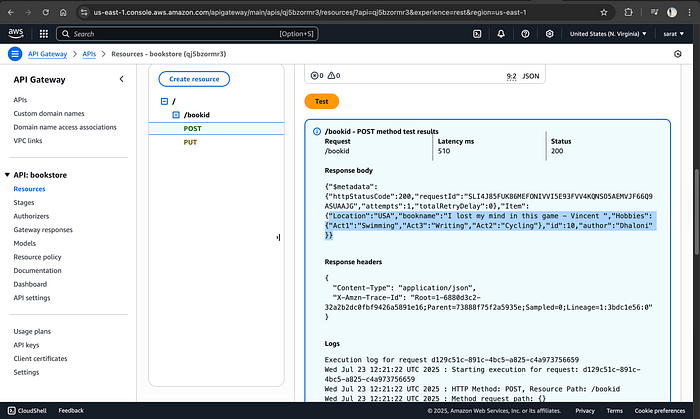
I propose fully given an ID number that does not exist to see its response
5️⃣ Test the API
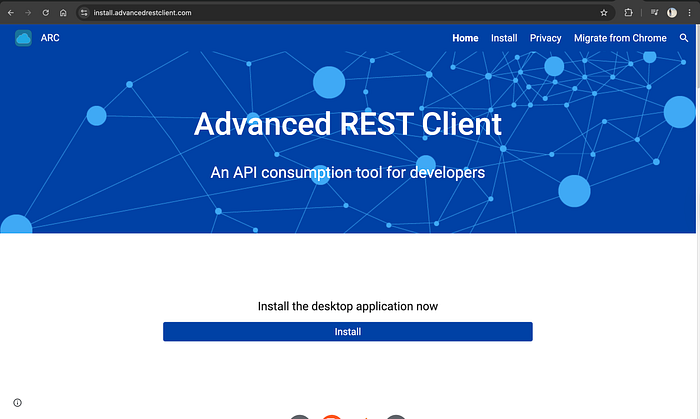
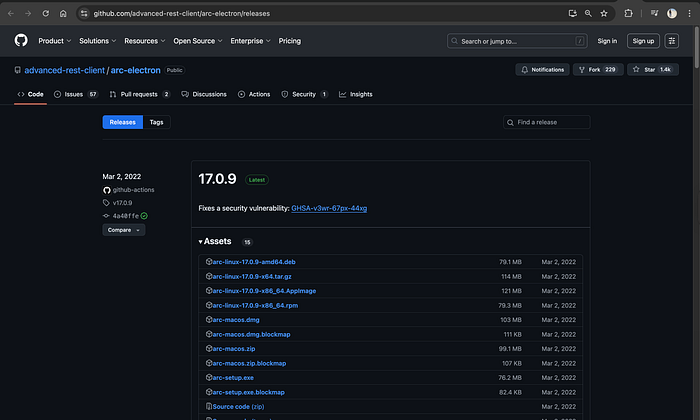
Use tools like Postman or REST Client:
- PUT Request → Stores book data
- POST Request → Fetches data by ID
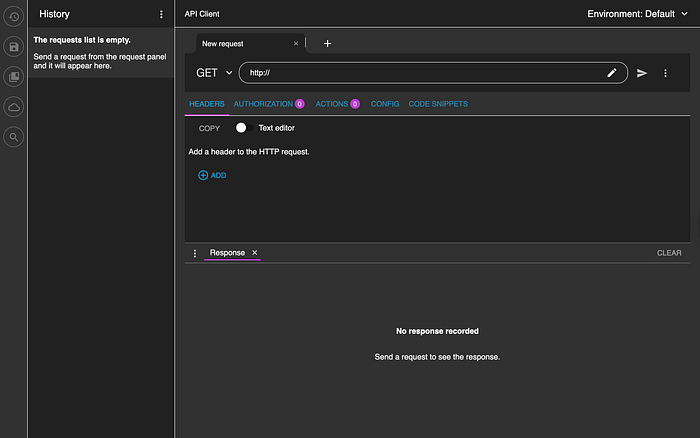
Try querying a non-existent ID — you’ll see how your API handles empty responses.
6️⃣ Deploy the API
- Create a stage (e.g.,
dev)
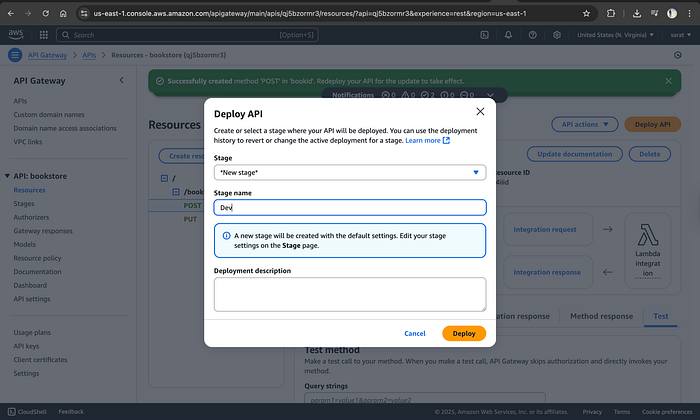
- Deploy to generate a public endpoint
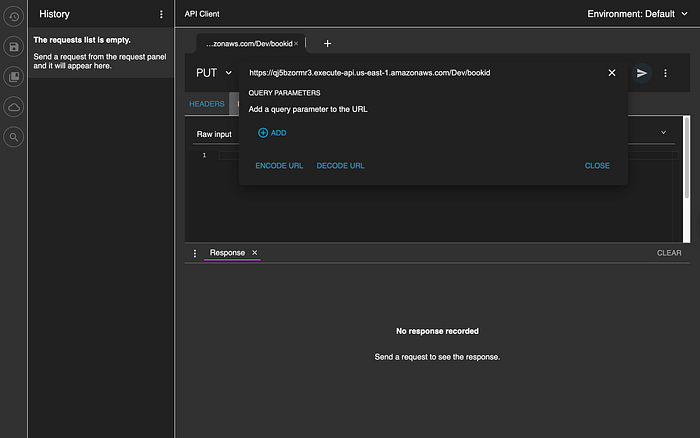
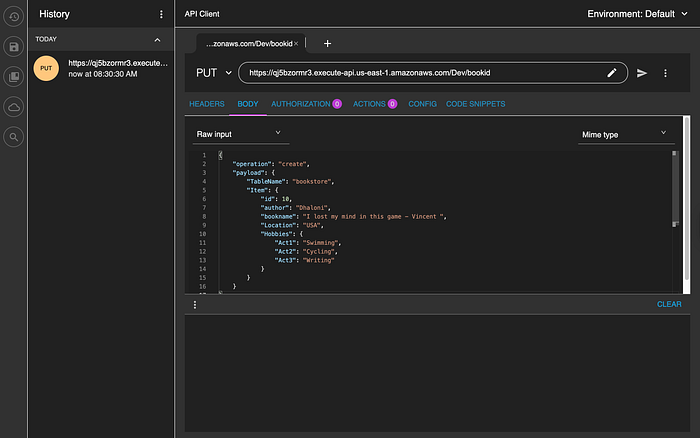
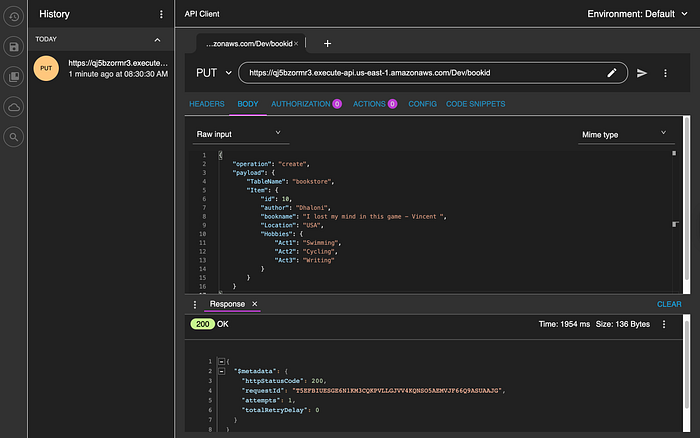
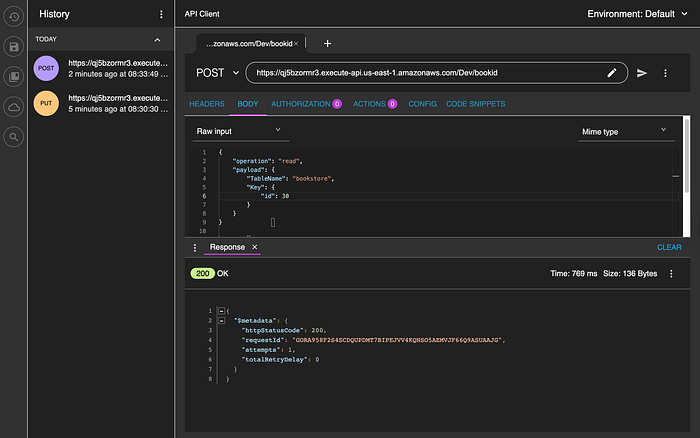
This time, copy the POST URL and select the “POST” method in the Advanced REST API Client, paste it, and change the code accordingly
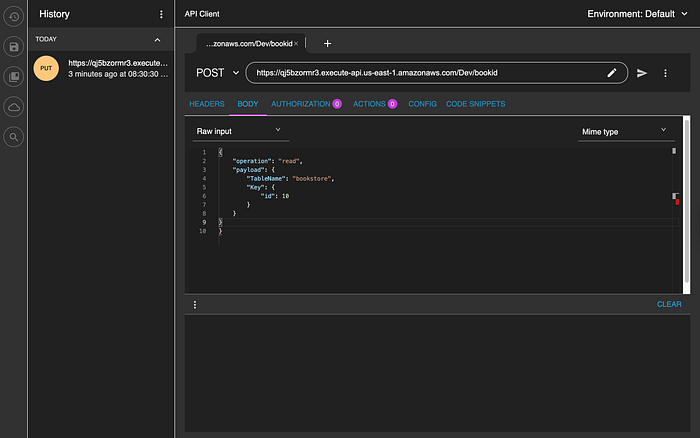
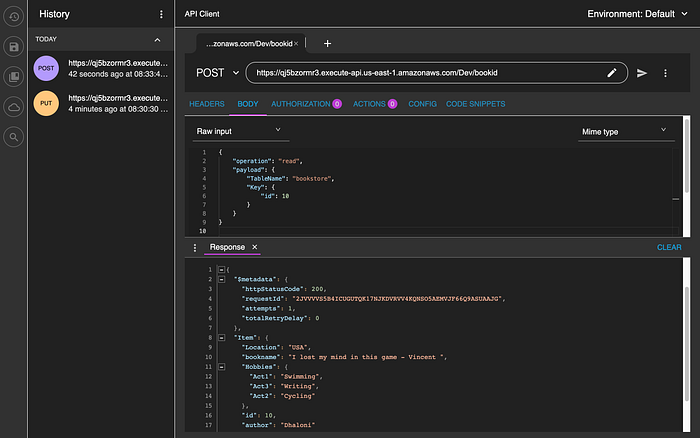
As usual, I changed the ID to a non-existent one that is “30”, and it didn’t respond with any item.
🎉 Your API is now live and ready to integrate with frontend apps.
💡 Business Impact: Why This Matters
This architecture is production-ready for:
- Feedback systems
- Contact forms
- E-commerce backends
- IoT data ingestion
Key Benefits:
- 🚫 Zero server maintenance
- 💰 Lower operational cost
- 📈 Instant scalability
Perfect for startups, MVPs, and high-growth applications.
🎉 Wrapping Up
With just three services — AWS Lambda, Amazon API Gateway, and Amazon DynamoDB — you can build powerful, scalable applications without the complexity of traditional infrastructure.
Serverless isn’t just a trend — it’s the future of cloud-native development.
If you found this helpful, drop a comment or give it a clap 👏
Until next time — stay scalable and serverless ☁️🚀


Be the first to leave a comment!