



How to Build AI Chatbots with AWS Bedrock & Python
Imagine building a generative AI chatbot from scratch. You would need to choose the right model, provision heavy GPU infrastructure, manage scaling, monitor usage, and ensure enterprise-level security. Sounds complex, right?
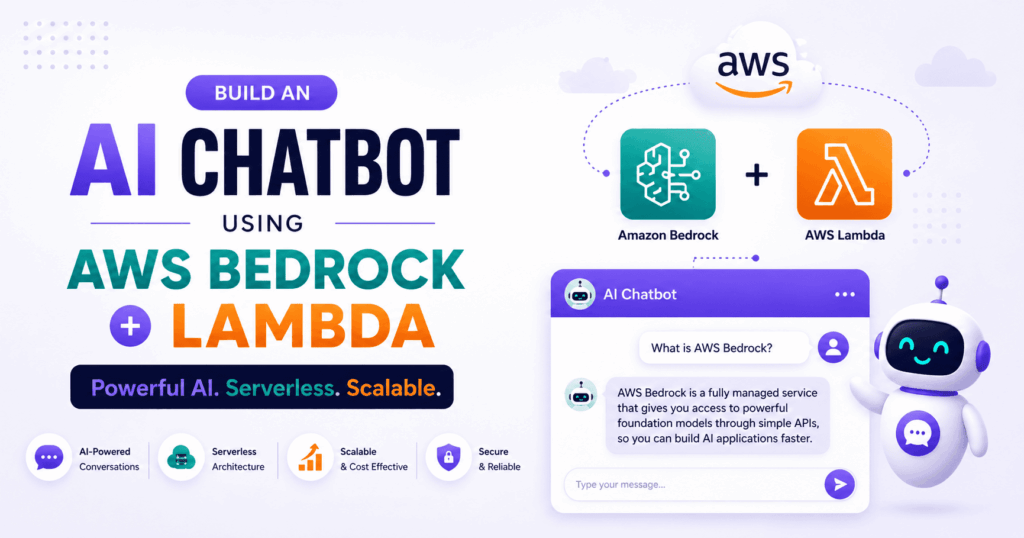
That is exactly why AWS Bedrock exists. It allows you to access powerful foundation models like Claude, Titan, and Meta Llama through a simple API—without managing a single server.
Whether you are building a predictive analytics tool or a conversational AI, let’s explore what AWS Bedrock is and how to build your first chatbot using the Python SDK.
🌩️ What is AWS Bedrock?
AWS Bedrock is a fully managed service by Amazon Web Services that allows you to build and scale generative AI applications. Instead of spending weeks setting up servers or fine-tuning open-source Large Language Models (LLMs), you can access industry-leading models via simple API calls.
It is designed for developers who want to create innovative AI applications—like summarization tools, data extraction systems, or chatbots—while letting AWS handle the deployment, scaling, and data security.
Bedrock supports a growing list of top-tier foundation models, including:
-
Anthropic: Claude 3 (Haiku, Sonnet, Opus)
-
Amazon: Titan
-
Meta: Llama 2 & 3
-
Mistral: Mistral 7B & Mixtral
-
Cohere: Command & Embed
-
AI21 Labs: Jurassic-2
Key Developer Features:
-
Zero Infrastructure Management: No provisioning or scaling GPUs.
-
Unified API: Switch between different models (e.g., from Llama to Claude) without rewriting your core logic.
-
Pay-As-You-Go: You only pay for the tokens you process, making it cost-effective for both prototyping and enterprise scaling.
-
Native AWS Integration: Seamlessly integrates with IAM for security, S3 for storage, and Lambda for serverless compute.
🖥️ Exploring Bedrock via the AWS Console
Before writing code, it is best to test how these models behave using the AWS Console.
-
Log in to the AWS Management Console.

-
Type “Amazon Bedrock” in the search bar and open the dashboard.
-
Note: You may need to request model access first. Navigate to “Model access” on the left sidebar and enable the models you wish to use.


Testing Prompts in the Bedrock Playground
The Bedrock Playground is a web interface that lets you send prompts and observe outputs in real-time. Navigate to Playgrounds > Chat and select the Anthropic Claude 3 Haiku model.


 Try testing Claude’s response style with a customer support prompt:
“A customer says their order is delayed. Write a helpful and polite response apologizing and offering an update.”
Understanding Prompt Parameters
On the right side of the playground, you will see parameters that shape the model’s response:
-
Temperature (0.0 – 1.0): Controls randomness. Lower values (0.1–0.3) yield predictable, professional tones, while higher values (0.7–1.0) increase creativity. (Recommended: 0.3 for support bots).
-
Maximum Length: Defines the token limit for the output.
-
Top-P / Top-K: Advanced settings influencing word choice diversity.
-
Stop Sequences: Tells the model exactly when to stop generating text.

Using AWS Bedrock via Python SDK (boto3)
While the AWS Console is great for initial exploration, real-world applications demand automation, and that’s where the Python SDK (boto3) comes in. Let us interact with it.
Install the boto3 SDK
Start by installing the boto3 by using the following command on the terminal:
pip install boto3
Configure AWS credentials
To configure your AWS credentials, run the following command:
aws configure
Note: If you get an error that says
'aws' is not recognized as an internal or external command, operable program or batch file, use the following command to install AWS CLI:
pip install awscli
Use Claude 3 Haiku in VS Code
Open VS Code and start by importing the necessary libraries:
import boto3

import json
Here:
boto3is the AWS SDK that lets your Python code talk to AWS services.jsonhelps format and parse JSON data, which is required to interact with Bedrock models.
Next, create a Bedrock client and also set up a prompt. A sample prompt that you can use is as follows:
bedrock_object = boto3.client('bedrock-runtime', region_name='ap-south-1')

prompt = "What is the use of AWS Bedrock?"
Here:
boto3.client()sets up a client to communicate with thebedrock-runtimeservice.- We’re using the Mumbai region (
ap-south-1), where Bedrock is available. promptis the user query that we want to send to the model.
Once the client is set up, let’s prepare the model parameters:
kwargs = {
"modelId": "anthropic.claude-3-haiku-20240307-v1:0",
"contentType": "application/json",
"accept": "application/json",
"body": json.dumps({
"anthropic_version": "bedrock-2023-05-31",
"max_tokens": 1000,
"messages": [
{
"role": "user",
"content": [
{
"type": "text",
"text": prompt
}
]
}
]
})
}
In the model parameters:
-
modelId: Is the exact version of the Claude 3 Haiku model hosted on Bedrock. -
contentType / accept: Both are set to"application/json"for proper request/response formats. -
body: A JSON string that follows Anthropic’s Messages API format:anthropic_version: Required identifier for the message format.max_tokens: Limits how long the model’s response can be.messages: A list of user-assistant exchanges, starting with your prompt.
Note: You can find sample API request formats and model IDs on the AWS Bedrock Console > Model Catalog> Name of the model.
Lastly, invoke the model and unpack the response:
response = bedrock_object.invoke_model(**kwargs)

body = json.loads(response['body'].read())

print(body)
Here:
-
response: Sends the prompt and parameters to the Claude 3 Haiku model and waits for a response. -
response['body'].read(): Reads the raw response stream. -
json.loads(...): Parses the result into a Python dictionary. -
print(body): Displays the output from the Claude model.
A sample output of this code is:
{'id': 'msg_bdrk_01MaKMX8r2F5NqChWNeBqUwe', 'type': 'message', 'role': 'assistant', 'model': 'claude-3-haiku-20240307', 'content': [{'type': 'text', 'text': 'AWS Bedrock is a managed service from AWS that provides a secure and scalable environment for running large language models (LLMs) and other AI/ML workloads. Some key uses and features of AWS Bedrock include:\n\n1. Model hosting and deployment: Bedrock allows you to deploy and run your own custom-trained LLMs or use pre-trained models provided by AWS in a fully managed environment.\n\n2. Inference scaling: Bedrock automatically scales the infrastructure to handle fluctuations in inference workloads, allowing you to handle spikes in demand.\n\n3. Model fine-tuning: Bedrock supports fine-tuning of pre-trained models on your own data to adapt them to your specific use cases.\n\n4. Data governance: Bedrock provides security and governance controls to ensure data privacy and compliance for your AI/ML workloads.\n\n5. Integration with other AWS services: Bedrock can integrate with other AWS services like Amazon S3, Amazon SageMaker, and Amazon Athena to enable end-to-end AI/ML workflows.\n\n6. Cost optimization: Bedrock offers flexible pricing options and can help optimize costs by automatically scaling resources based on demand.\n\nOverall, AWS Bedrock is designed to make it easier for organizations to develop, deploy, and manage large language models and other AI/ML applications at scale, without having to worry about the underlying infrastructure complexity.'}], 'stop_reason': 'end_turn', 'stop_sequence': None, 'usage': {'input_tokens': 17, 'output_tokens': 306}}
With this foundation in place, you’re ready to move forward and start building a customer support chatbot using Claude and AWS Bedrock.
Build a customer support chatbot using AWS Bedrock Claude
Let’s build a smart customer support chatbot with Claude using AWS Bedrock’s Python SDK. From setting up a chat interface to generating safe, helpful responses, let’s dive in!
Step 1: Set up a command line chat interface
We’ll use a basic CLI so users can type in queries and receive AI-generated replies. Start by importing the necessary libraries:
import boto3

import json
Step 2: Configure the Claude model with Bedrock
Next, create a Bedrock client and define your Claude model and input region. We’re using claude-3-haiku-20240307-v1:0 and the ap-south-1 (Mumbai) region:
# Set up the client

bedrock = boto3.client("bedrock-runtime", region_name="ap-south-1")


# Prompt the user

user_input = input("Ask your support question: ").strip()
Using .strip() helps remove unnecessary spaces in input.
Step 3: Validate user input (empty or too long)
Before invoking Claude, it’s good practice to validate the input:
# Basic input validation

if not user_input:

print("Please enter a valid question.")

 exit()


if len(user_input) > 1000:

print("Your message is too long. Please shorten it and try again.")

 exit()
Empty inputs and overly long prompts can break the response quality or exceed token limits.
Step 4: Format the prompt for Claude (messages API)
Claude 3 models require a messages array with a role-based structure. This format is explained in AWS’s Claude SDK documentation:
# Create request payload for Claude

kwargs = {

"modelId": "anthropic.claude-3-haiku-20240307-v1:0",

"contentType": "application/json",

"accept": "application/json",

"body": json.dumps({

"anthropic_version": "bedrock-2023-05-31",

"max_tokens": 1000,

"messages": [

{

"role": "user",

"content": [

{

"type": "text",

"text": user_input

}

]

}

]

})

}
Step 5: Invoke the model and print the response
Send the formatted request and display the output:
# Send the request and print the response

response = bedrock.invoke_model(**kwargs)

result = json.loads(response['body'].read())


# Output Claude's reply

print("\nClaude says:", result['content'][0]['text'])
You can wrap this in a loop or a function for a full-fledged chat system.
Let’s give a sample input to this chatbot and check its response:
Can you tell me the specifications of the latest Galaxy S series phone?
A sample output generated by the chatbot is:
Claude says: Here are the key specifications for the latest flagship Samsung Galaxy S series phone, the Galaxy S23 Ultra:


Display:

- 6.8-inch Dynamic AMOLED 2X display

- 3088 x 1440 pixel resolution (Quad HD+)

- 120Hz adaptive refresh rate

- Gorilla Glass Victus+ protection


Processor:

- Qualcomm Snapdragon 8 Gen 2 chipset


RAM & Storage:

- 8GB/12GB RAM

- 256GB/512GB/1TB storage options


Camera:

- Quad camera setup:

 - Primary: 200MP main camera

 - Ultra-wide: 12MP

 - Telephoto: 10MP with 3x optical zoom

 - Telephoto: 10MP with 10x optical zoom

- 40MP front-facing camera


Battery:

- 5,000mAh battery

- 45W wired fast charging

- Wireless charging support


Other Features:

- IP68 water and dust resistance

- S Pen stylus support

- 5G connectivity

- Android 13 with One UI 5.1 software


The Galaxy S23 Ultra is the top-end model in Samsung's latest Galaxy S23 series lineup. It features a premium design, powerful specs, and advanced camera capabilities.
You’re now set to create smarter, safer chatbots with Claude and AWS Bedrock!
🎉 Conclusion
AWS Bedrock fundamentally changes how we deploy AI. By abstracting away the underlying infrastructure, it allows developers to focus purely on prompt engineering and application logic.
In this tutorial, we navigated the AWS Console, explored model parameters, and built a fully functional conversational AI using Python and boto3. Whether you are integrating AI into a simple web form or building a complex backend data extraction tool, AWS Bedrock provides the enterprise-grade foundation to make it happen.
Have you integrated Bedrock into your AWS architecture yet? Let me know what you are building in the comments below! 👇


Be the first to leave a comment!